

In this independent review, we'll take a look at online CFD broker FxPro. We'll explore its key features, fees, and potential alternatives such as Pepperstone and eToro.
What is FxPro?
London-based online broker FxPro was founded back in 2002 and has since become one of the leading CFD and spread betting providers in the world. The broker operates in more than 173 countries where it serves more than 7,800,000 client accounts. The company has also won more than 120 industry rewards to date. It's regulated by four different industry regulators including the FCA in the UK, as well as CySEC, FSCA and SCB.
How does FxPro work?
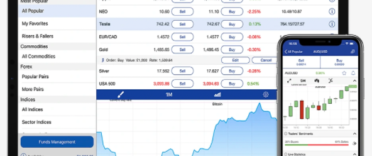
FxPro is a trading platform best suited to traders interested in CFDs and spread betting. It offers a range of different account options as well as four separate trading platforms to choose from. It has its own proprietary trading platform solution (FxPro WebTrader), as well as popular options like MetaTrader 4, MetaTrader 5 and cTrader. It also offers a mobile app for those who prefer to trade on the go. There are also a variety of CFD instruments on offer, such as Forex, Shares, Energy, Indices, Futures, Metals and ETFs.
The account opening process is as straightforward as can be given that FxPro, like all brokers, has certain regulatory requirements that must be met and therefore customers need to provide personal information when registering. Demo accounts are also available. As long as you ensure you log in at least once every 3 months, your accounts will remain active. But, if you're inactive for more than 3 months, your live and demo accounts will be disabled. You'll be able to reactivate your live account by contacting FxPro, but you'll need to create a new demo account after this time.
FxPro is also 'beginner-friendly' in that it offers demo accounts as well as an extensive knowledge hub with various learning resources and webinars to help beginner traders get to grips with margin trading. That said, it's worth keeping in mind that CFDs and spread betting are high-risk, leveraged products that come with the risk of losing all your money. Around 77% of retail investor accounts lose money when they trade CFDs or spread betting with FxPro.
FxPro key features
- Negative Balance Protection means you can't lose more than your total deposits
- Demo accounts to help you get used to the platform and learn about trading
- CFD trading and (tax-free) spread betting options
- More than 2,100 different instruments are available
- Four different trading platforms to choose from
- A range of trading accounts to suit different traders' needs
- A mobile app for those who prefer to trade on the go
- A dedicated knowledge hub containing various educational materials, videos, and webinars
- Trader tools, including an FX calculator
Is FxPro safe?
FxPro is authorised and regulated by the Financial Conduct Authority in the UK where it's also a member of the Financial Services Compensation Scheme (FSCS). The company is also regulated by the CySEC (since 2007) and by the FSCA since 2015.
FxPro also uses a number of security measures to keep your funds safe. This includes two-factor authentication and also automated email notifications when changes to your password are made. In addition, there are extra verification steps the platform takes to verify any updates you make to your personal information.
FxPro products
Below, we outline the products you'll have access to if you choose to trade with FxPro to help you understand its landscape.
FxPro accounts
With FxPro, you can choose from three different accounts including:
- Standard Account - The Standard account gives you the basics with "ultra-fast execution" and with access to the FxPro Mobile App, the FxPro Webtrader and MetaTrader 4 and 5. CFD instruments on offer include Forex, Metals, Indies, Energy, and Futures as well as Stocks and ETFs (though the latter two are only available for the MT5 option)
- Edge Spread Betting Account - With the Edge Spread Betting Account, you get access to the FxPro Mobile App and the FxPro platform with trade sizes starting from 0.10 GBP. CFD instruments available include Forex, Metals, Indices, Energy and Futures.
- Raw+ Account - The Raw+ account comes with "razor-sharp spreads starting at 0", but does charge a commission. CFD instruments on offer include Forex, Metals, Indices, Energy, and Futures as well as Stocks and ETFs (though the latter two are only available for the MT5 option)
Commissions differ depending on the account you choose so it's worth checking the pricing structure below before making a decision either way. The Standard account, for example, charges higher spreads than the Raw+ account, but the Raw+ account charges a flat commission on top of its spreads.
FxPro trading platforms
With FX, you can choose from four different trading platforms which all offer one-click trading. These include:
- FxPro Platform (FxPro's own solution) - Comes with more than 50 different indicators, as well as a range of different chart types including Heiken Ashi, HLC and dots. However, it only comes in one language (English).
- MetaTrader 4 - Comes with 30 different indicators and allows custom indicators. Offers chart trading and comes with three charts - line, bar and candlesticks. It also comes in 37 different languages.
- MetaTrader5 - Comes with 35 different indicators and allows custom indicators. Offers three different charts - line, bar, and candlesticks. It's also available in 49 different languages.
- cTrader - Comes with more than 55 different indicators, as well as options like advanced take profit and breakeven stop loss. Available in more than 22 languages.
FxPro educational resources
FxPro offers its customers a range of educational resources with materials split in two levels - beginners and advanced. If you're totally new to CFD trading and FX markets, you can access lessons on the basics with lessons titled "what is a CFD?" and "Lots & leverage". There are also articles on fundamental analysis and technical analysis and even psychology covering topics like the sunk cost fallacy and the common mistakes novice traders make. Advanced traders can continue expanding their skills with more advanced courses on fundamental analysis with topics such as using inflation data in trading and trading specific FX pairs.
For more visual learners, there are a variety of videos and webinars available too. Those who want to learn more about FxPro can create a demo account and practice trades there, allowing them to put their knowledge to use without the risk of losing their funds.
FxPro market instruments
Market instruments on offer at FxPro include:
- Forex - 70+ FX pairs to choose from
- Energy - Brent (UK) oil, Natural gas and WTI oil are on offer
- Indices - Choose from a variety of popular indices across Europe, Asia, and America
- Futures - A range of futures from around the world to choose from including categories like agricultural commodities, energy, and indices
- Metals - Trade precious metals like aluminium, copper, gold, and lead
- ETFs - A range of ETFs across sectors like bonds, commodities, currencies, equity, real estate and volatility are on offer
How much does FxPro cost?
The exact amount you'll be charged for trades depends on both the account type you hold as well as the platform you're trading on. We discuss some of the fees you may need to pay below.
Commission charges
Commission charges are charged on FX pairs and Spot Metals.
- FxPro Raw Spread account - spreads for FX&Metals start from as low as 0 but there is a commission of $3.50 per lot when the position is opened and closed
- cTrader accounts - FX&Metals are charged a commission fee of $35USD per $1,000,000 traded when opening and closing a position
- Standard accounts - No commission fees on any instruments - customers are charged a markup on the spread in addition to applicable swap charges. For FX, the spread starts from 1.2pips whereas for gold it starts from 25 cents.
- Spread betting - No commission fees on any instruments - customers are charged a markup on the spread in addition to applicable swap charges
FxPro provides this formula to help you understand how it calculates commission fees: Commission per side = Trade size in base currency x (USD conversion rate x $35 per USD million traded) x account currency exchange rate
If your trading account is in a different currency (i.e. GBP), the figures will be converted into your own currency.
Swap charges
You may incur swap charges if you keep a trade overnight. The swap fee is charged automatically at 21:59 (UK time). The exact amount you'll need to pay varies depending on which platform and what instrument you're trading. For example, there are no swap charges for Future contracts.
- FxPro, MT4 & cTrader - A daily swap charge applies each weekday, with a triple charge on Wednesday for FX & metals and on Friday for other types of instruments; this is to account for weekends
- MT5 - All instruments are charged a daily swap fee
While the costs can be difficult to get your head around, FxPro has a cost calculation tool that can help you work out how much you'll end up paying in fees for various investments.
What is the minimum deposit with FxPro?
There is no minimum initial deposit to trade with FxPro. However, the platform recommends a minimum investment amount of £1,000 to ensure a smooth trading experience. Clients can deposit money via wire transfer, credit and debit card, PayPal and other local options available in different countries and jurisdictions.
How to open an FxPro trading account
To open a FxPro trading account, you'll need to head to the FxPro website and then click on the blue "Register" button in the top right corner. You can also register via the FxPro app which is available via the AppStore or Google Play store. As part of the application process, you'll need to fill out a form and verify your identity by uploading your ID.
The application requires that you provide a range of personal details such as your nationality, date of birth, address and mobile number. You'll also need to fill out information about your current employment, education level and financial status. You will then need to take a test to check your financial markets knowledge. All of this is fairly standard across online brokers who have to comply with certain regulatory requirements when they onboard new clients.
Once you submit your application, you'll be able to fund your account as soon as it's verified by the team. You can then fund the account and start trading.
FxPro customer reviews
On Trustpilot, FxPro has a score of 4.4 out of 5.0 based on more than 1,000 reviews. Approximately 62% gave the platform five stars while around 11% gave it just one star. This is considered an "Excellent" score on the website.
Reviewers who gave the company 5 stars were pleased with the educational resources as well as the additional tools provided. Some were particularly pleased with the fast order execution and quick withdrawals. Those who gave the platform a one-star rating complained about the verification process taking too long, and the app and website not working correctly. Some had customer service concerns.
Alternatives to FxPro
Below, we explore some of the alternatives to FXPro to give you an idea of how it compares to the rest of the market.
| FxPro | eToro* | Pepperstone | |
| Number of instruments | 2,100+ instruments | 7,000+ | 2,400+ instruments |
| CFD trading & spread betting | YES | YES | YES |
| Forex trading | YES | YES | YES |
| Commission fees |
Fees vary depending on the type of account and platform you're using |
FREE | Fees vary depending on the type of account and platform you're using |
| Trustpilot rating | 4.4 out of 5.0 | 4.2 out of 5.0 | 4.4 out of 5.0 |
FxPro pros and cons
Below, we outline the key pros and cons of trading with FxPro.
| FxPro - pros | FxPro - cons |
|
|
|
|
|
|
FxPro: Is it the right choice for your needs?
FxPro is well suited to both beginner and advanced traders looking to explore CFD trading. Its range of educational resources and demo account are a good starting point if you want to learn more about CFD trading before taking the plunge. Some of its platforms, particularly its proprietary solution FxPro are particularly suited to beginners. That said, it offers a range of account options and trading platforms to suit more experienced traders as well.
While it doesn't offer the wide range of trading instruments some of its competitors have on offer, with more than 2,100 instruments to choose from, most traders will likely find what they're looking for on the platform. Its pricing structure is transparent as well, with a calculator to help traders estimate costs before they place trades. All in all, FxPro is a solid choice if you're specifically interested in CFDs, Forex, and spread betting.




 MTTM AI (beta)
